Corenyth · Personal local AI agent for Android
Corenyth: a personal, offline AI assistant for Android. Your AI.
Offline.
Corenyth is a private, offline AI assistant for your everyday follow-through. Plan, remember and check in with a fine-tuned AI that runs on your Android phone, with no internet and no cloud.
- No internet permission
- No account
- Open source · Apache 2.0
Features
Everything you need to follow through.
Type it the way you'd say it. Corenyth turns everyday messages into tasks, reminders and memories, all stored on your phone.
Local AI
Corenyth runs its own fine-tuned Qwen3-0.6B through llama.cpp, right on your phone. The model understands your request; the app checks it before anything changes.
About 364 MB · verified by SHA-256
Tasks & reminders
Exact Android alarms with Done and Snooze, even when the app is closed. Daily schedules too.
“Remind me to call Kabir at 6pm”
Personal memory
Save facts and preferences, then recall, correct or forget them. Relevant memories shape later replies.
“Remember that Kabir prefers evening calls”
Follow-through
Optional preparation nudges, “How did it go?” check-ins and an evening review, with quiet hours.
Your tone
Pick how Corenyth talks to you: Cheerful, Mature, Playful, Calm or Professional.
Home-screen widgets
A scrollable task list or an animated companion. Tap + to chat with Corenyth without opening the app.
Backup & restore
Export everything to a single file you control, and restore it on a new phone.
Inside the app
Calm, glassy and made for one hand.
The new aurora glass design keeps everything you need a thumb away.
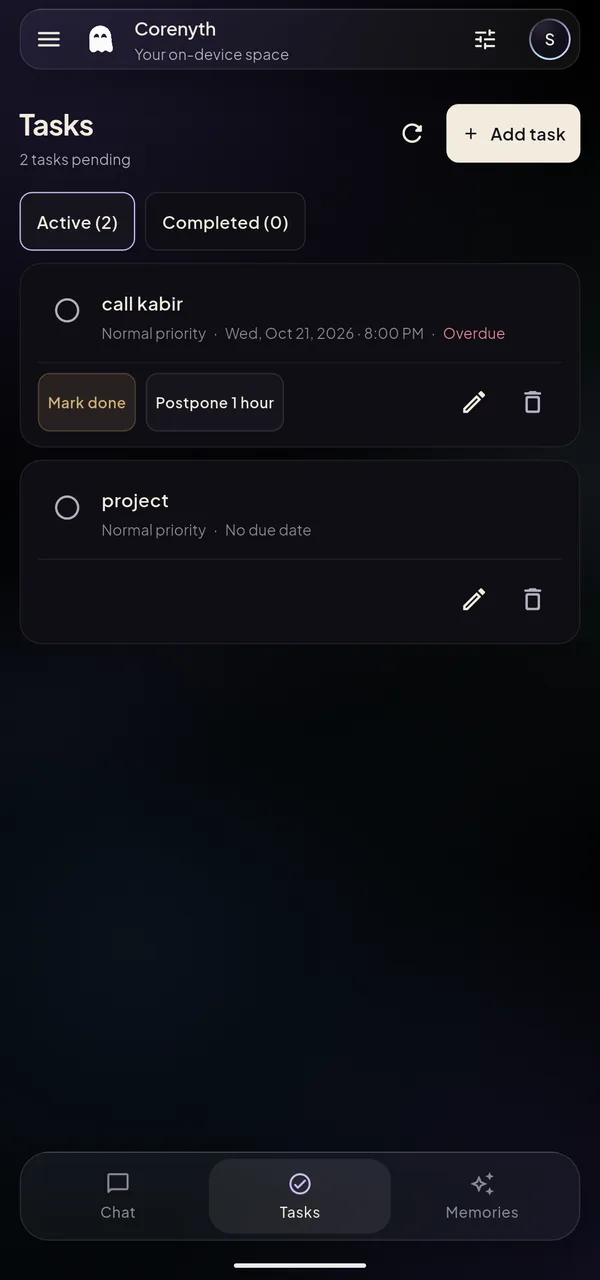
Tasks
Active and completed tasks, with quick done and postpone.
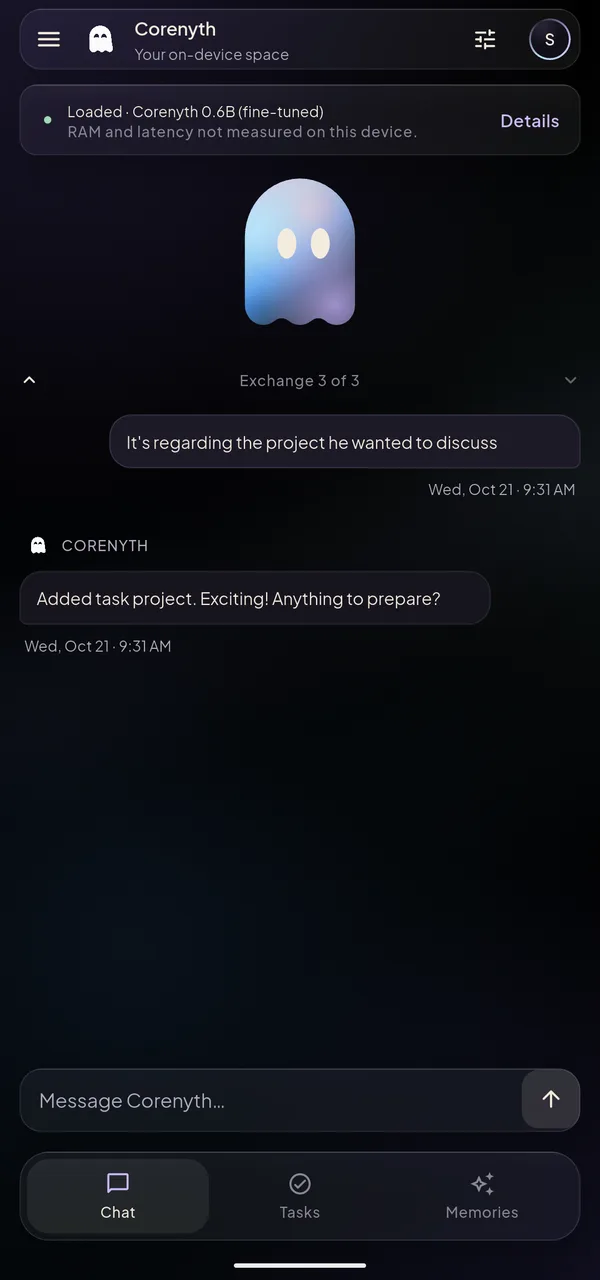
Chat
Type naturally. Corenyth confirms exactly what it saved.
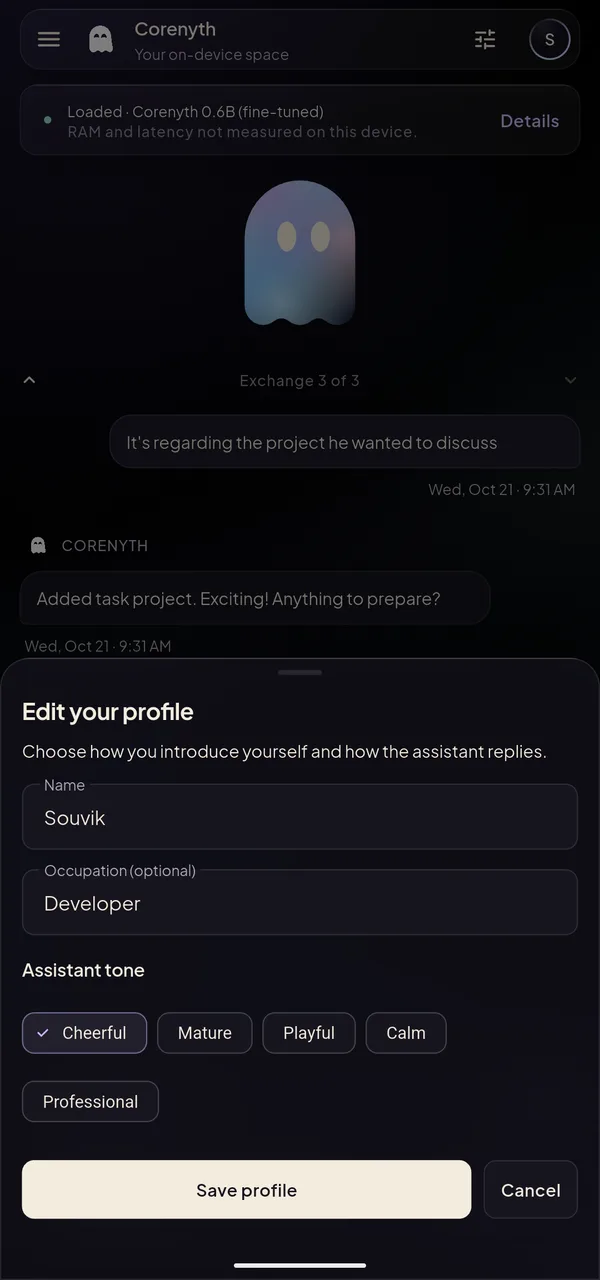
Profile & tone
Tell Corenyth who you are and how it should sound.
Privacy
Your data stays on your phone.
Conversations, tasks, reminders and memories live in a local database on your device. The AI runs there too.
No internet permission
The release app can't connect to the internet, so your data has nowhere to go.
No accounts or tracking
No sign-up, analytics, ads or crash reporting. Nothing is collected.
A verified model
You download the model once in your browser. Corenyth checks its size and SHA-256 before loading it.
Yours to delete
Delete chats, tasks and memories in the app. Backups leave only if you share them.
How it works
The model interprets. The app acts.
A small AI is never trusted to change your data directly. Every action is checked first, all on your phone.
- 1
You ask
Type a request in chat or the widget panel. Simple maths and clear commands take a direct shortcut.
- 2
The local model proposes
The fine-tuned model reads your request with relevant tasks and memories, then proposes a structured plan and a reply.
- 3
The app validates
Code checks the plan against your words, the right task and exact dates before saving anything. If a plan is rejected, built-in rules take over.
Get started
Up and running in minutes.
No account to create. Allow notifications and exact alarms if you want reminders.
- Step 1
Install the app
Download the APK from the GitHub release and install it on your Android phone.
- Step 2
Download the model
In model setup, tap Download in browser to get the fine-tuned model file (about 364 MB).
- Step 3
Choose the file
Tap Choose the downloaded file. Corenyth copies it into private storage, verifies it and loads it. No storage permission needed.
FAQ
Questions, answered.
Still curious? Email souvikdas8426@gmail.com.
What is Corenyth?
Corenyth is a personal, offline AI assistant for Android. It runs a fine-tuned Qwen3-0.6B model on your phone through llama.cpp to help with tasks, reminders, personal memory and follow-through. Everything stays on your device, with no account and no cloud. The app is currently in its alpha build.
What phone do I need?
Android 7.0 (API 24) or newer. The on-device AI needs a 64-bit phone and about 364 MB of free storage for the model. On 32-bit phones, Corenyth still works using its built-in rules.
Does it work without the model?
Yes. Built-in rules handle tasks, reminders and memory requests before you add the model, or if it can't load. Neither path uses the cloud. Only Corenyth's own fine-tuned model file is accepted.
What stays on my phone?
Everything. Chats, tasks, reminders and memories are stored in a local database. The release app has no internet permission, no accounts and no analytics, so it cannot send your data anywhere.
Is Corenyth free and open source?
Yes. The app and the model are free to download from GitHub, with no account or subscription. The source code is open under the Apache License 2.0.
Can I back up my data?
Yes. Export a backup file from the app and restore it on the same or a new phone. Backups are created only when you ask and leave the app only if you share them.
How reliable is the current alpha build?
It handles everyday requests well, but unusual phrasing can still be misunderstood, so it's not yet accepted for broad reliability. Replies follow your chosen tone loosely. On a test phone, warm replies took about 3–4 seconds.
Can I use voice or another platform?
Not yet. Corenyth supports typed chat on Android today. Voice input and output are planned. There's no iOS, desktop or web version.